


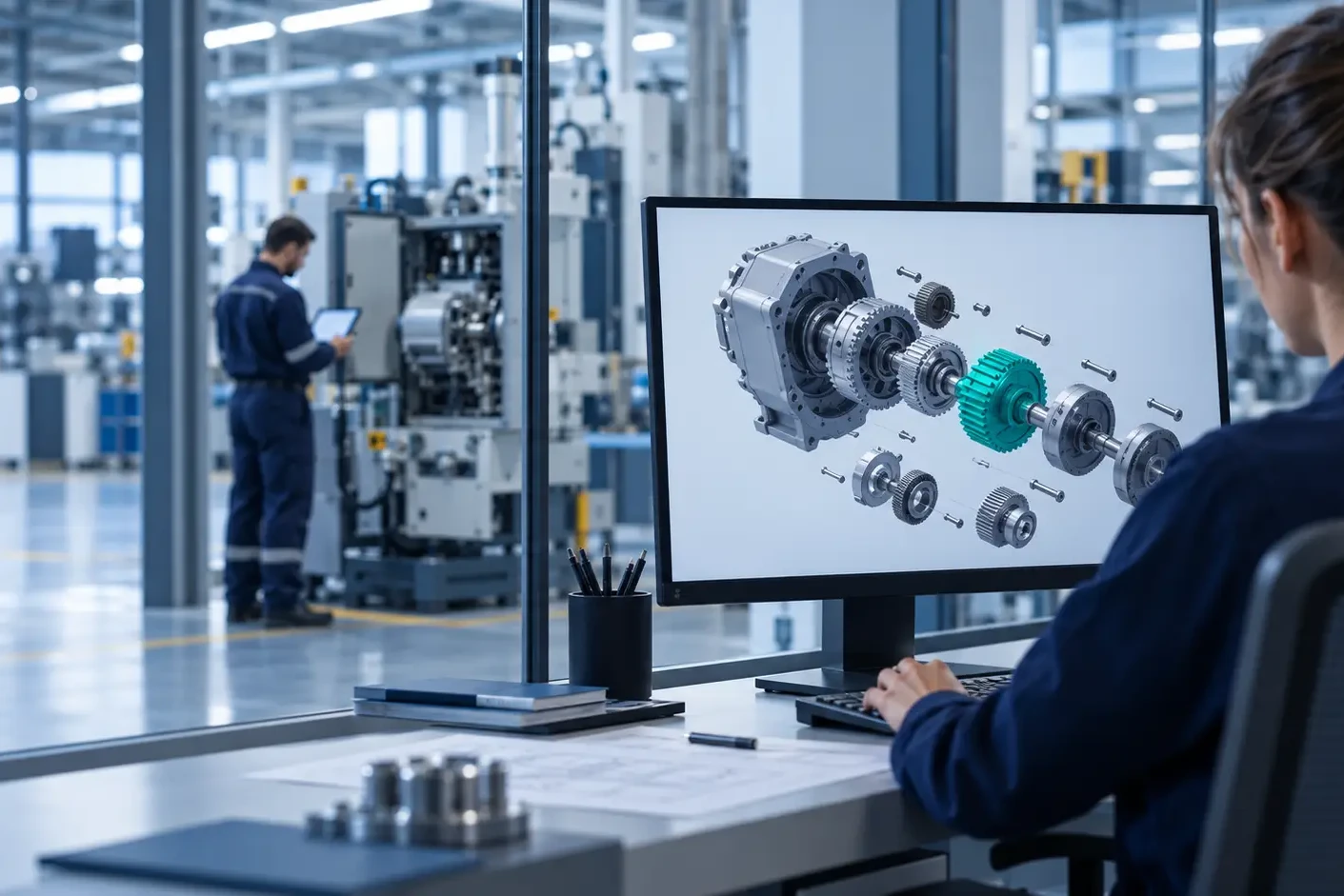



Building the right spare, on the right revision
Thursday afternoon, an urgent order reaches the plant: four drive shafts for a customer whose line has stopped. The planner moves the job ahead of a series order, material is prepared and machining starts the next morning. Two days later, quality notices that the parts were built to revision B. Engineering released revision C three months ago, and that is the version the customer’s machine needs.
The parts are scrapped, the job is repeated and the series order is delayed again. The plant has paid twice for the same spare part.
Every spare part is a small production order
For a Manufacturing Director, spare parts orders are a constant source of disruption. They arrive in small quantities, often urgently, and they compete with series production for the same machines, materials and people. A wrong order is not only a commercial problem. It is lost capacity, wasted material and a less stable production plan.
Where wrong spare parts orders come from
Most wrong orders are created long before they reach the shop floor. They usually come from the same few places:
- A catalogue that still offers superseded parts, because it works on a copy of engineering data that is updated later.
- Part numbers typed again by hand when an email or a portal order is entered into the ERP.
- Descriptions instead of references, which someone has to interpret and check with engineering.
Each of these steps adds time, and each one is a chance to build the wrong revision. We looked at the wider cost of this disconnection in The hidden cost of disconnected Windchill PLM and ERP systems.
See the difference in practice: follow the same spare part order with and without ISFsoft Spare Portal.
Simulation · Spare part order
Follow one spare part order to the plant
Four drive shafts, ordered urgently for a stopped machine. Switch between the two scenarios to compare the journey.
Result of this order
Illustrative example based on common situations in manufacturing companies.
Four changes when spare parts orders come from ISFsoft Spare Portal
ISFsoft Spare Portal is synchronized directly with Windchill, so every order starts from the same product data the plant uses. For production, this creates four changes.
1. The same data as production
Spare parts orders are based on the same product structure and revisions released by engineering. What the plant builds for the aftermarket is consistent with what it builds for new machines.
2. No more producing obsolete parts
When a component is superseded, the portal stops offering the old version immediately. The plant avoids the wasted material, rework and scrap caused by orders for outdated references.
3. Orders that arrive ready to plan
Through ISFsoft Connect, orders flow automatically into the ERP with the correct part numbers and quantities. Production planning receives clean demand instead of manual requests that need to be checked and corrected.
4. Fewer urgent interruptions
Wrong orders are the main cause of emergency rework. When customers order the right part the first time, spare parts can be scheduled alongside series production rather than interrupting it.
What the plant gains
- A more stable production plan, with fewer last-minute changes.
- Less scrap and rework caused by outdated references.
- An aftermarket served efficiently, without sacrificing the performance of core operations.
The same precision that engineering puts into each released change now reaches every spare part the plant builds. If you want to see how this works from engineering’s side, read Engineer once, serve everywhere.
Every spare part is a small production order, and it deserves the same precision as the rest.
Want to see how ISFsoft Spare Portal would send cleaner orders to your plant? Get in touch with us and we will show you how it works with a real product structure.

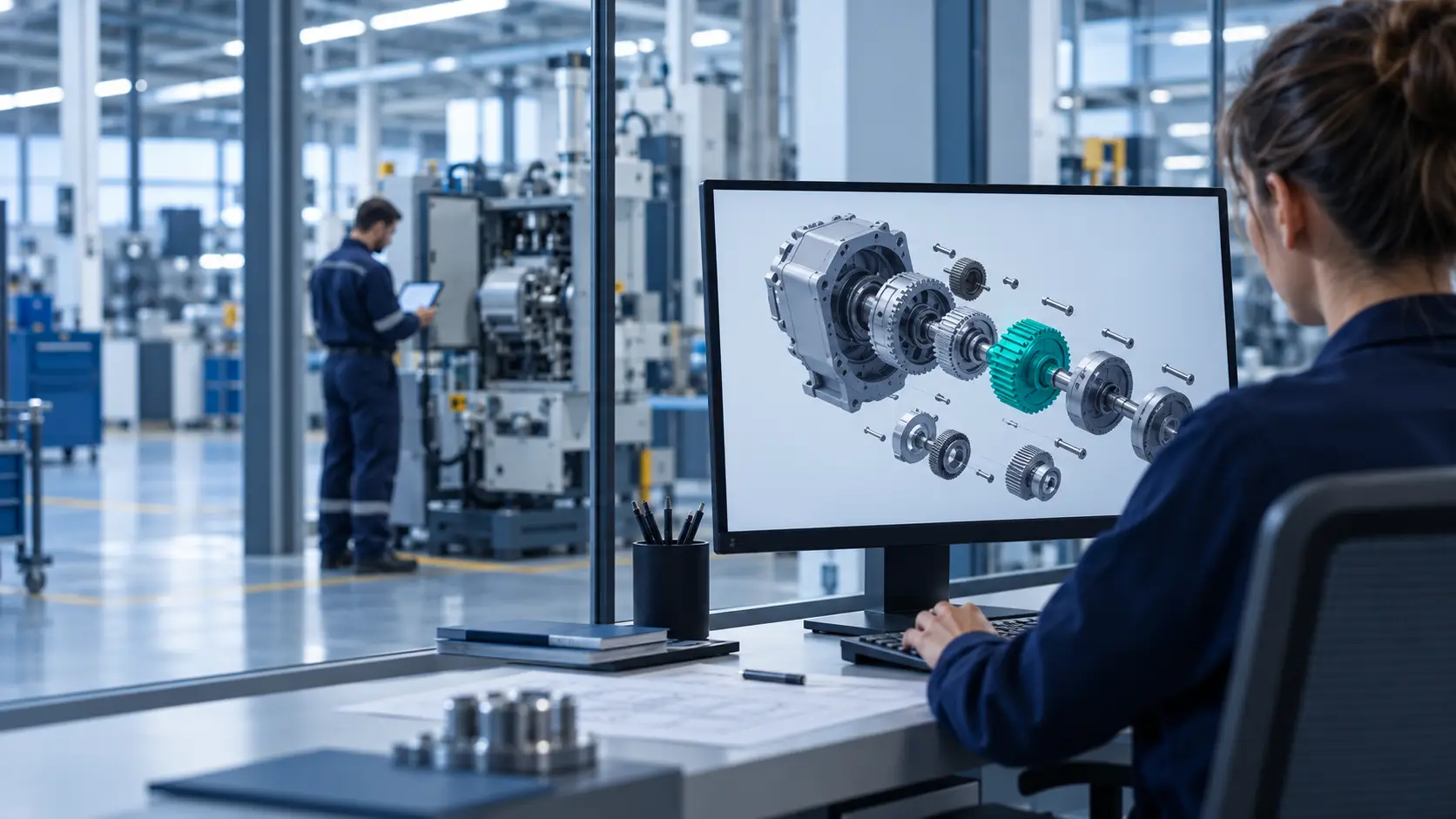
Windchill spare parts catalogue without the double work
On Monday morning, an engineering change is released in Windchill. A bearing housing used across a whole machine family moves to a new revision. Within days, production is building with the new version. In the spare parts catalogue, nothing has changed yet. Someone still needs to export the new BOM, update the exploded view and check that the old reference is marked as replaced.
Until that happens, customers can keep ordering a part that engineering has already replaced. And the person who has to sort it out is, very often, someone from engineering.
The second catalogue nobody planned to maintain
In many manufacturing companies, the spare parts catalogue grew outside the PLM. It started as a spreadsheet exported from Windchill, a set of PDF drawings, or an illustrated catalogue created by the technical documentation team or an external provider. Over time, it became a second version of the product, with its own part lists, its own images and its own update cycle.
Windchill is where engineering creates and approves product data. But every change made there now has to be repeated somewhere else, by hand, often by people who were not part of the original decision. Engineering ends up responsible for data it no longer controls.
What a separate catalogue costs engineering
- Duplicate work on every change. Each ECN creates a second task: export, redraw, check and publish again.
- Two sources that drift apart. Small differences pile up until nobody is sure which version is right.
- Questions that come back to the team. When the catalogue can’t be trusted, after-sales asks engineering to confirm which part fits which machine.
- Engineering work that stays inside the factory. Clean BOMs and accurate 3D models are built for production and rarely reach customers or technicians.
How much time does that add up to in your company? Use this quick calculator to estimate it.
Calculator · 30 seconds
How much time does your second catalogue take?
Estimate the hours your team spends repeating engineering changes in a separate spare parts catalogue.
Time spent on the second catalogue
360hours a year
With ISFsoft Spare Portal, the catalogue is updated automatically when a change is released in Windchill. That time goes back into engineering.
Get in touch with usEstimate based on your inputs, using 1,700 working hours per person and year. Your data is not stored or sent anywhere.
Four changes when the spare parts catalogue comes from Windchill
ISFsoft Spare Portal is synchronized directly with Windchill. Instead of maintaining a copy, it publishes the product structures, 3D models and documentation that already exist there. For the engineering team, this creates four changes.
1. No duplicate catalogue to maintain
There is no second database to update. The portal shows what Windchill contains, so the two can’t drift apart. The time that used to go into exporting lists and redrawing exploded views goes back into engineering work.
2. Changes made once, applied everywhere
When an ECN is released, the portal reflects the new revision and the supersession automatically. Engineering’s decisions reach customers and service technicians without extra steps, emails or follow-up tasks.
3. Fewer questions reaching the engineering team
Customers and service staff can identify parts on their own, through the BOM, the serial number or the interactive 3D view. Fewer requests reach engineering, and the ones that do are the ones that really need an engineer. We looked at this problem in more depth in The invisible bottleneck in Windchill environments.
4. Engineering work that creates more value
The effort invested in clean BOMs and accurate 3D models now serves sales, service and customers too. Engineering becomes a visible contributor to after-sales revenue and customer satisfaction, not only to production.
Is your team maintaining a second catalogue?
A few signs that product data is being kept in two places:
- Someone exports BOMs to spreadsheets so that after-sales can work with them.
- Exploded views are recreated in a separate tool, or by an external provider.
- The spare parts catalogue is updated in batches, not when changes are released.
- Service teams regularly ask engineering which revision is the current one.
If two or more of these sound familiar, the catalogue has become a parallel system, and it will keep taking engineering time.
One source, from design to the field
A spare parts portal linked to Windchill extends the digital thread beyond the factory. Product data is created and approved in one place, and everyone who needs it, from the plant to the customer’s technician, works with the same version. If you want to see how this approach compares with portals built on ERP data, read Where should your spare parts portal get its truth?
The best engineering data is the data that reaches everyone who needs it.
Want to see how ISFsoft Spare Portal publishes your Windchill data? Get in touch with us and we will show you how it works with a real product structure.

Where should your spare parts portal get its truth?
A customer’s machine has stopped. A technician opens the manufacturer’s spare parts portal, types a description and gets a long list of part numbers. Which one fits this machine? Is it still the current version? After ten minutes of searching, they pick up the phone. Someone in service calls someone in engineering. The portal was online, but the answer was not in it.
This happens often, even in companies that have already invested in a spare parts portal. In most cases the cause is the same: the portal gets its product information from a system that doesn’t really know the product.
Why most spare parts portals are connected to the ERP
Most spare parts and partner portals on the market are built on top of the ERP. It is a logical choice. The ERP knows prices, stock, customers and orders, which is everything needed to complete a sale. For a portal whose goal is to take orders, starting from the ERP looks like the shortest path.
The difficulty appears earlier, at the moment the customer needs to find the part.
What the ERP doesn’t know about your product
An ERP holds part numbers and flat lists. It does not hold the product structure, the 3D geometry, the revision history or the configuration of each machine. That information lives in the PLM, where engineering creates and maintains it.
For a customer looking for a spare part, that context is exactly what matters. They rarely know the reference. They know the machine, the serial number and the area where the part is located. A portal built only on ERP data expects the customer to arrive with a code. A portal built on product data helps them find it.
Four differences when the spare parts portal draws from Windchill
ISFsoft Spare Portal takes a different approach. It takes product knowledge from PTC Windchill and uses the ERP for what it does best: price, availability and order processing. In practice, this creates four differences.
1. Identification, not just a catalogue of codes
An ERP-based portal expects the customer to know the reference. With ISFsoft Spare Portal, customers can find it through the bill of materials, the serial number or by navigating the interactive 3D model, with drawings and documentation attached. They identify the part by looking at their machine, not by guessing a code.
2. Engineering changes, straight from the source
In an ERP-based portal, an engineering change reaches customers only after it has been transferred and coded in the ERP, which often adds delays. Linked to Windchill, the portal reflects each released change and supersession as soon as engineering approves it. Customers stop ordering parts that have already been replaced.
3. No separate catalogue to create and maintain
Portals fed from the ERP usually need exploded views and illustrated catalogues that someone creates and updates by hand. It is slow and costly work, and every manual copy is a new opportunity for errors. ISFsoft Spare Portal reuses the 3D models and product structures that engineering already maintains in Windchill, so there is no second catalogue to keep in sync. If your catalogue still lives in spreadsheets, we looked at that first step in From Excel to digital portal.
4. The configuration of each machine
ERP data rarely reflects how a specific unit was built and how it has been modified over the years. Windchill does. As a result, customers see only the parts that fit their equipment, not every part that has ever existed for that model.
Giving each system its role
This is not about replacing the ERP. It is about letting each system do what it does best:
- Windchill defines what the part is and where it fits: structure, revisions, 3D models, documentation and configuration.
- The ERP decides how much it costs and when it ships: prices, stock, orders and invoicing.
With ISFsoft Connect, both sides work together. Orders placed in the portal reach the ERP with the correct part numbers and quantities, without anyone typing them again. If your Windchill and ERP still exchange data through spreadsheets, this article explains the risks of that approach.
The result is a spare parts portal that is both precise and transactional.
Five questions to ask before choosing a spare parts portal
Before comparing solutions, it helps to look at how your current portal works. Answer these five questions and see where you stand.
Self-assessment · 1 minute
Is your spare parts portal getting its truth from the right place?
Answer five questions about your current portal and see where you can improve.
Where you can improve most:
Want to see how ISFsoft Spare Portal would work with your product data?
Precision first, then the transaction
Customers judge a spare parts portal on one thing: whether the part that arrives is the part they needed. Speed, availability and a good ordering experience all matter, but only after that. A portal that sells the wrong part efficiently is still selling the wrong part.
In the coming weeks, we will look at what a spare parts portal linked to Windchill means for each area of the business: engineering, manufacturing, after-sales service, purchasing and sales.
Want to see how ISFsoft Spare Portal works with your Windchill data? Get in touch with us and we will show you how it works with a real product structure.
From Excel to digital portal: Improving spare parts management in industrial environments
For many industrial companies, managing spare parts still depends on endless spreadsheets, manual updates, and long email threads between departments. While Excel has long been a trusted ally, it was never designed for the complexity of modern after-sales operations, where accuracy, visibility, and responsiveness are essential. Transitioning from traditional spreadsheets to a digital spare parts portal is not just a technological step forward — it represents a true transformation in the way organizations handle information, collaborate across teams, and serve their customers.
The Limits of Manual Management
Managing spare parts manually often seems simple at first. Spreadsheets are familiar, flexible, and inexpensive. But as product lines expand and the number of components increases, the cracks start to show. Data becomes fragmented across different files and versions, often inconsistent or outdated. Each manual edit increases the likelihood of human error, from incorrect references to duplicated items or missing information. Over time, the lack of version control and traceability makes it difficult to maintain quality or accountability, and operations begin to slow down as users spend more time searching for information than acting on it.
Another major challenge is the absence of real-time synchronization with core systems such as PLM or ERP. Engineering teams may update part numbers or documentation, but those changes rarely flow automatically to after-sales or logistics teams. This disconnect leads to inefficiency, errors in orders, and frustration both internally and for customers who rely on accurate information. In short, spreadsheet-based management is not scalable. It restricts visibility and collaboration precisely when industrial operations require both.
The Shift to a Digital Spare Parts Portal
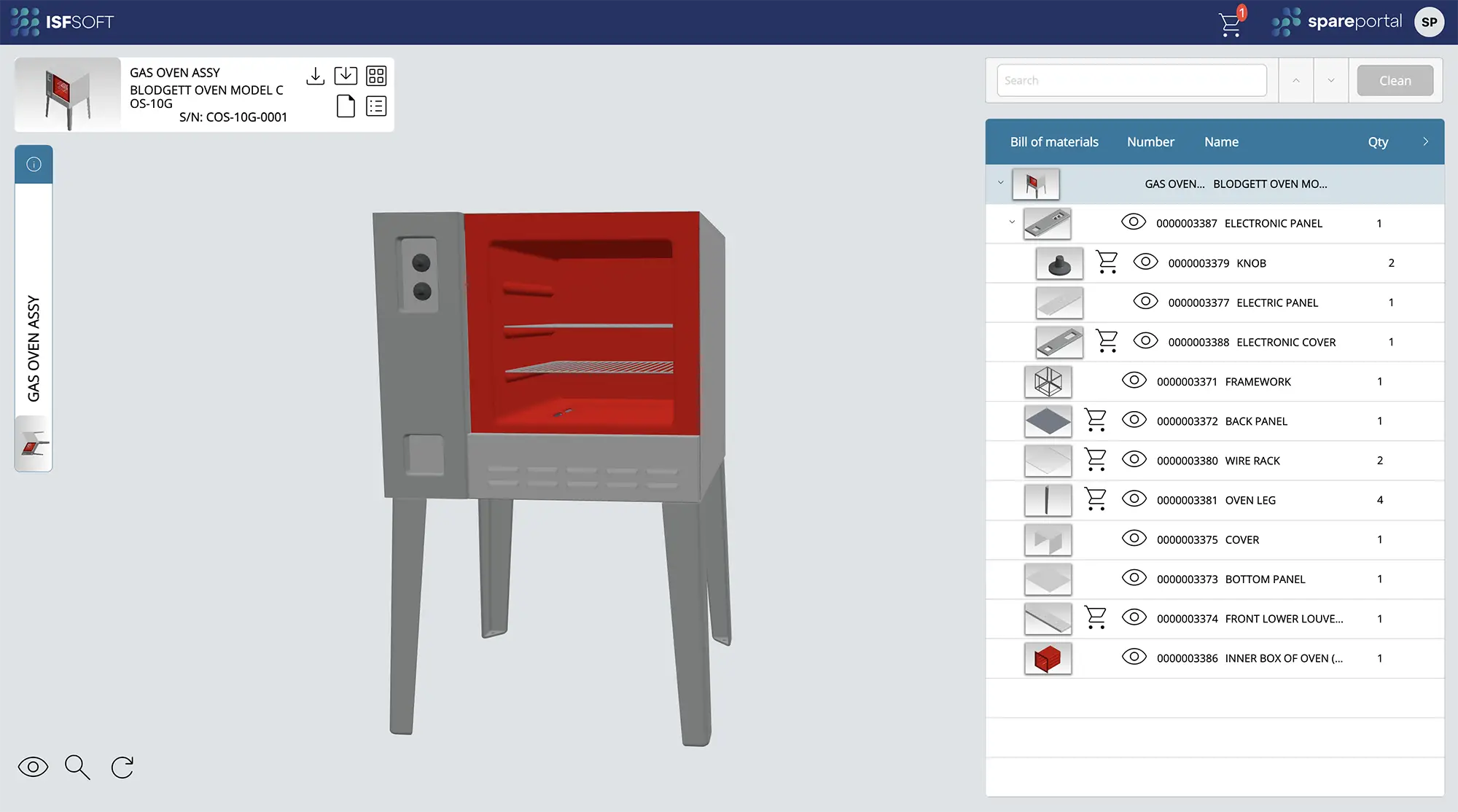
Replacing spreadsheets with a digital spare parts portal means centralizing all critical product data — from 3D assemblies and technical documentation to live stock and version history — within a single, secure platform. It’s a shift from static data to a dynamic, connected system that evolves in real time. With a solution like ISFsoft Spare Portal, every stakeholder involved in the after-sales process can access consistent, accurate, and visually intuitive information.
Technicians can identify parts directly from 3D or exploded views, avoiding confusion between similar components. Engineering updates made in Windchill automatically synchronize with the portal, ensuring that part numbers, documentation, and availability are always up to date. At the same time, customers and distributors gain access to a modern self-service interface where they can search for products, confirm compatibility, and even place orders online without depending on manual intervention. The result is a leaner, faster, and far more reliable process for everyone involved.
Real-World Impact: From Reactive to Predictive
Consider the case of an industrial equipment manufacturer that manages thousands of spare parts across multiple product lines. In the traditional model, technicians spent hours navigating through Excel sheets, cross-checking codes, and validating availability manually. Mistakes were common, and each incorrect order meant delays, extra costs, and dissatisfied clients. After implementing ISFsoft Spare Portal, the company achieved a single source of truth for all spare parts data, seamlessly integrated with Windchill and the ERP system. Technicians now locate the right components in seconds, customers can view up-to-date product information, and service teams no longer rely on email chains to confirm compatibility.
This transition didn’t just reduce errors and lead times — it changed the way the company operates. Instead of reacting to issues as they arise, they can now anticipate demand, track version changes automatically, and plan inventory with greater precision. In other words, they moved from a reactive to a predictive service model.
Beyond Efficiency: Building a Connected After-Sales Ecosystem
Digitalizing spare parts management goes far beyond administrative efficiency. It is the foundation of a connected after-sales ecosystem where information flows freely between engineering, logistics, and service. When the spare parts portal communicates directly with PLM and ERP systems, any change made in design or production is immediately reflected across the entire service network. This ensures full alignment and eliminates the need for repetitive data entry, freeing teams to focus on value-added tasks.
Moreover, the integration of real-time data opens the door to advanced capabilities such as predictive maintenance, automated reporting, and data-driven decision-making. Each interaction within the portal generates insights that can improve product design, optimize inventory, and strengthen customer relationships. The shift from isolated spreadsheets to a digital platform ultimately transforms the after-sales function into a strategic asset for the business.
ISFsoft Spare Portal: The Next Step in Your Digital Journey
At ISF Innovation Experts, we believe that the digital thread should not end with manufacturing. Knowledge created in the design and engineering phases should extend all the way to after-sales service, where it delivers tangible value for customers and service teams alike. ISFsoft Spare Portal was developed with this vision in mind — connecting engineering data, service processes, and customer needs through a single digital platform.
By adopting ISFsoft Spare Portal, manufacturers can take a decisive step toward complete lifecycle digitalization, improving accuracy, collaboration, and customer experience. It’s not just about replacing Excel. It’s about creating a smarter, connected, and sustainable way to manage your after-sales operations.